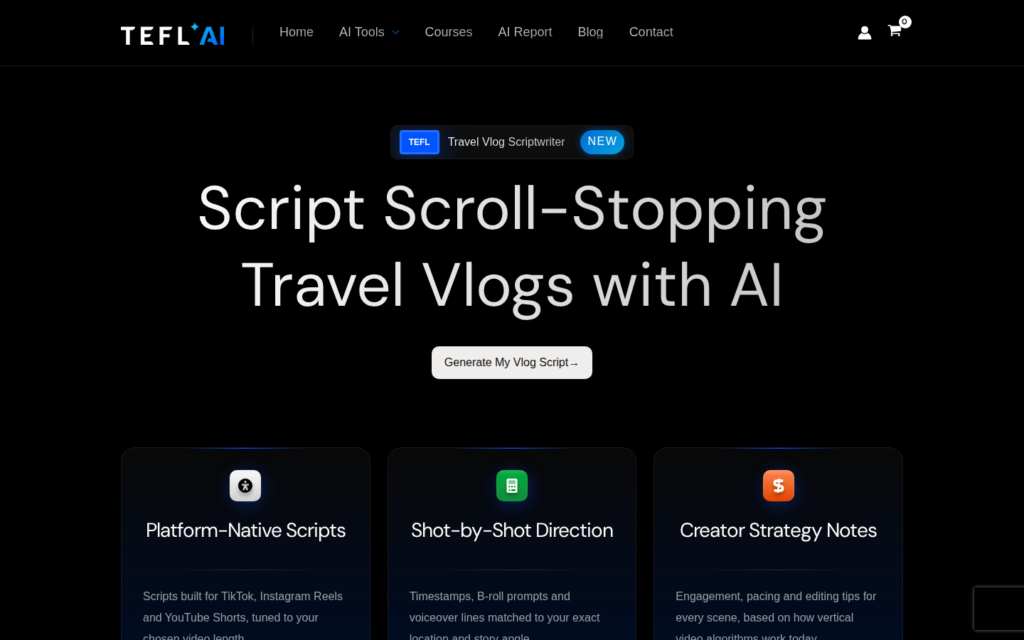
The AI Travel Vlog Scriptwriter is live on tefl.ai, and it exists because of a universal teach-abroad truth: filming your life overseas sounds easy right up until you’re standing in a night market holding your phone, wondering what on earth to actually say. Our newest free tool fixes that. Tell it where you are, pick an angle, choose a video length, and it hands you a complete shot-by-shot script for TikTok, Instagram Reels, or YouTube Shorts.
Like every tool on this site, it’s completely free and unlimited. No signup wall, no watermark, no “upgrade to unlock” nonsense.
What the AI Travel Vlog Scriptwriter Does
You give it three things:
- Your location or context. “Chiang Mai, Thailand” or “Ho Chi Minh City, Vietnam” or wherever your TEFL adventure has landed you.
- Your angle. Four proven vertical-video formats to choose from (more on those below).
- Your video length. A slider for 30, 60, or 90 seconds.
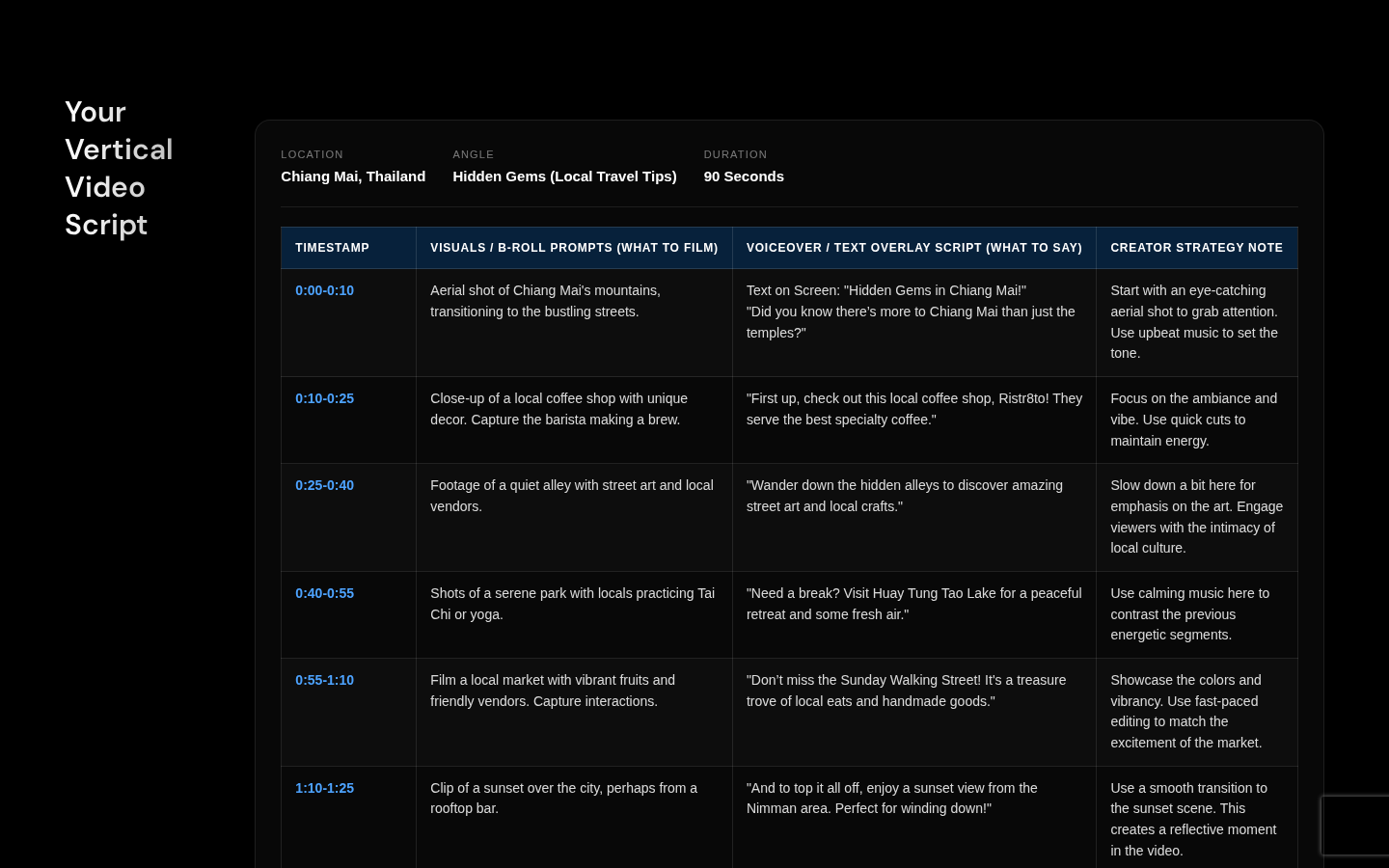
About fifteen seconds later you get a complete production script laid out as a table: timestamps, exactly what to film for each shot, the voiceover or text-overlay lines to use, and a creator strategy note for every scene explaining why it works on vertical platforms. It’s the kind of shot list a video producer would sketch out for you, minus the producer’s day rate.
Pick Your Angle
The four angles cover the formats that consistently perform for teacher-creators. Pick the one that matches the story you want to tell today.
| Angle | What You’ll Film | Best For |
|---|---|---|
| Day in the Life | Your real routine: morning coffee, commute, classroom, evening wind-down | Building a relatable audience that follows you as a person |
| Hidden Gems | Local spots tourists miss: cafes, alleys, markets, viewpoints | Travel-tip virality and location-tagged discovery traffic |
| Budget Breakdown | What you actually spend in a day, receipt by receipt | High saves and shares; answers the question everyone asks |
| Classroom Realities | Funny or moving moments from your teaching week | Connecting with other teachers and future TEFL grads |
Choose Your Length
Different platforms reward different runtimes, so the slider matters more than you’d think.
| Duration | Platform Sweet Spot | Why It Works |
|---|---|---|
| 30 seconds | Instagram Reels, YouTube Shorts | Highest completion rates; ideal for a single punchy idea |
| 60 seconds | TikTok standard | Room for a story arc while staying algorithm-friendly |
| 90 seconds | TikTok deep-dives | For breakdowns and mini-guides where watch time signals quality |
Copy It, or Take It Filming as a PDF
Once your script generates, two buttons appear. Copy Script to Clipboard grabs the whole thing so you can paste it into your notes app or send it to a friend who’s filming with you. Download Shot-List PDF turns the script into a printable checklist with a tick box for every scene, so you can check off shots as you film them. Yes, it works offline in the middle of a rice field.
Turn Views into Income
Here’s the part that makes this more than a fun toy. If your videos mention TEFL life, people in your comments will ask how to do what you’re doing. Our sister site TEFL.ie runs an affiliate program that pays an 11% commission on every course booked through your unique link, and the full details are in the TEFL Affiliate Programme guide. Drop your link in your video description, answer the questions you’re already being asked, and your vlog starts paying for its own street food.
Want the complete creator playbook, from niche selection to brand deals? The Travel Influencer Launchpad course covers building an audience while you teach abroad.
Where to Find It, Plus More Free AI Tools
The tool lives at tefl.ai/travel-vlog-scriptwriter, and you’ll also spot it on the homepage and in the AI Tools menu with a shiny NEW badge. While you’re here, the rest of the free AI toolkit is worth a look: plan tomorrow’s classes with the AI Lesson Plan Generator, or map your next career move with the TEFL Career Roadmap Generator.
Frequently Asked Questions
Is the AI Travel Vlog Scriptwriter really free?
Yes. Like all tefl.ai tools it’s free and unlimited, with no account required.
Do I need any filming experience to use the scripts?
No. Every scene includes a plain-English description of what to film and a strategy note explaining the thinking, so complete beginners can follow along with just a phone.
Which platforms are the scripts written for?
Vertical video: TikTok, Instagram Reels, and YouTube Shorts. The 30, 60, and 90 second options map to what each platform’s algorithm tends to reward.
Can I edit the script after it’s generated?
Absolutely, and you should. Copy it to your clipboard or download the shot-list PDF, then adapt the lines to your own voice. The script is your starting point, not a contract.
Quick favor: how do you actually use AI in your teaching?
We are running the first real study of AI use among TEFL teachers. 12 questions, about 3 minutes, fully anonymous. Leave your email at the end and you will get the report before anyone else.